
Scan just about anything.
From a product barcode to a Wi-Fi QR code. Point your camera, or pick a photo. No scan button needed.
Scanning featuresFrom a Wi-Fi password to your next big idea. Scan QR codes and barcodes offline, create your own, and keep the useful things close.
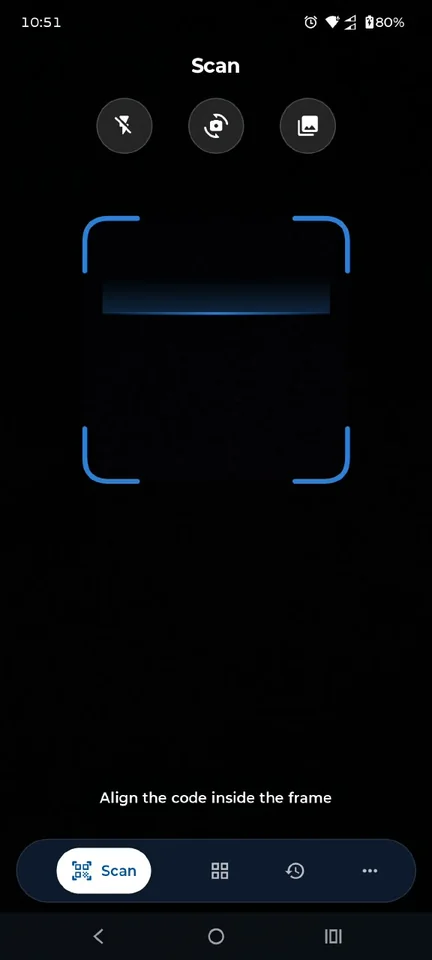
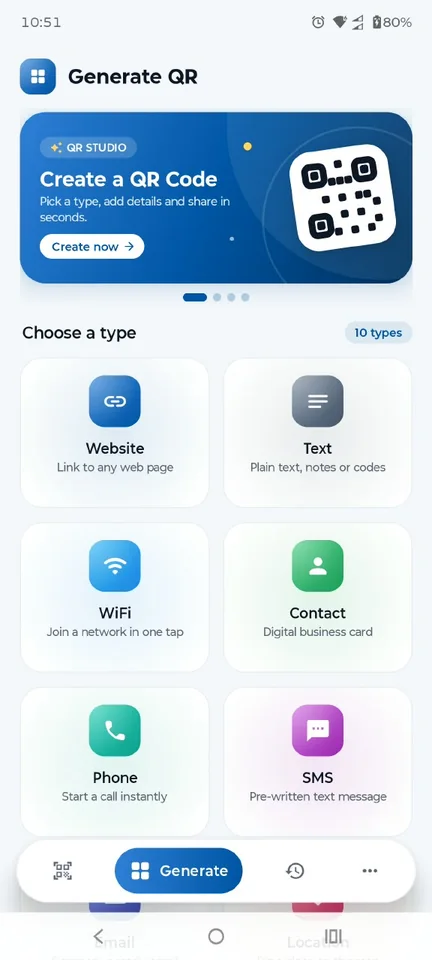
QR & Barcode Scanner: Create · Actual app screens
Read it, act on it, make it your own. Everything you need to get more out of the codes around you.
From a product barcode to a Wi-Fi QR code. Point your camera, or pick a photo. No scan button needed.
Scanning featuresTurn a link, a contact, or a good idea into a QR code. Add a frame and a little color. Then share it.
Creation featuresFind that link again, save a favorite, or take your history with you using CSV export and import.
History featuresA menu at the table. A label on a package. A network at a friend’s place. Start with a scan and take the next step.
Keep the code in the frame. Or choose an image from your gallery.
Read links, contact details, text, and more right on your phone.
Open a website, join Wi-Fi, save a contact, or copy just what you need.
A coffee shop’s Wi-Fi. Your next event. Your social profile. Give your code a frame that feels like you.
Explore all 10 QR types SCAN ME
Illustrative style preview. This example code always links to example.com. Create your own in the app.
No sign-up to slow you down. Scanning and creation happen on your device, and your history stays there.
Read our privacy approachCode contents aren’t uploaded for scanning or QR creation.
Keep your scans locally, export them when needed, or turn history off.
Manage optional usage statistics, crash reports, and notifications in Settings.
Clean screens. Thoughtful details. A comfortable experience on small phones, large phones, and tablets.
Actual app screenshots. Appearance may vary by device and version. Select an image for a closer look.
Offline scanning. Personal QR codes. Everything in one place.